
From first connection
to everyday work.
Pick a task, follow the steps, and check the limits. Diagrams explain the workflow; controls can vary by version.
Updated 2026-11-09 · Current iPhone/iPad release: 1.1.0 · Workflow diagrams are illustrations
05Upload screenshots from iPhone to a remote server
3 min read
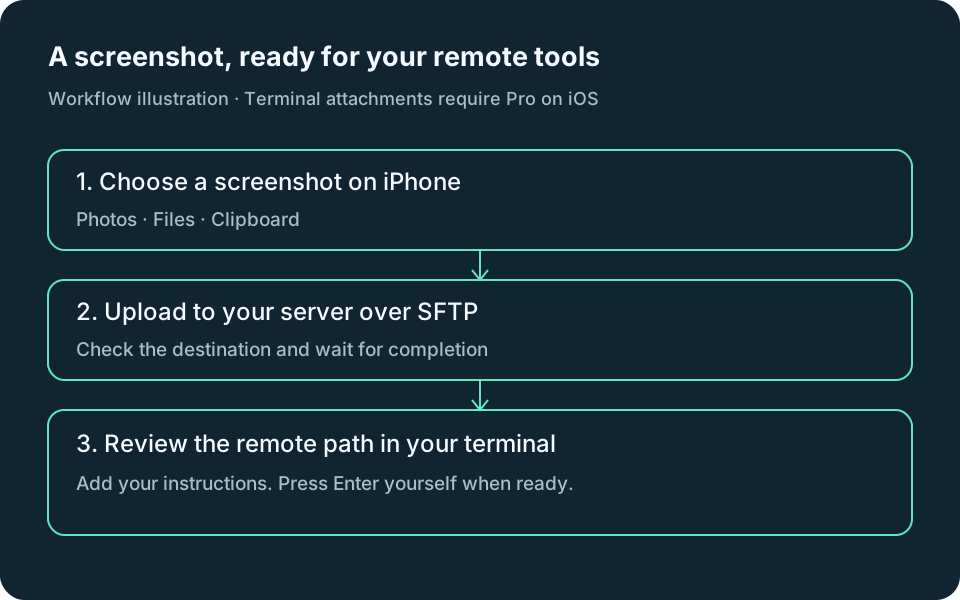
Send an iPhone screenshot to Codex or another image-capable tool on your SSH server: upload over SFTP, insert the remote path, then send your instructions.
Start this guide →06Preview a remote localhost website on iPhone over SSH
4 min read
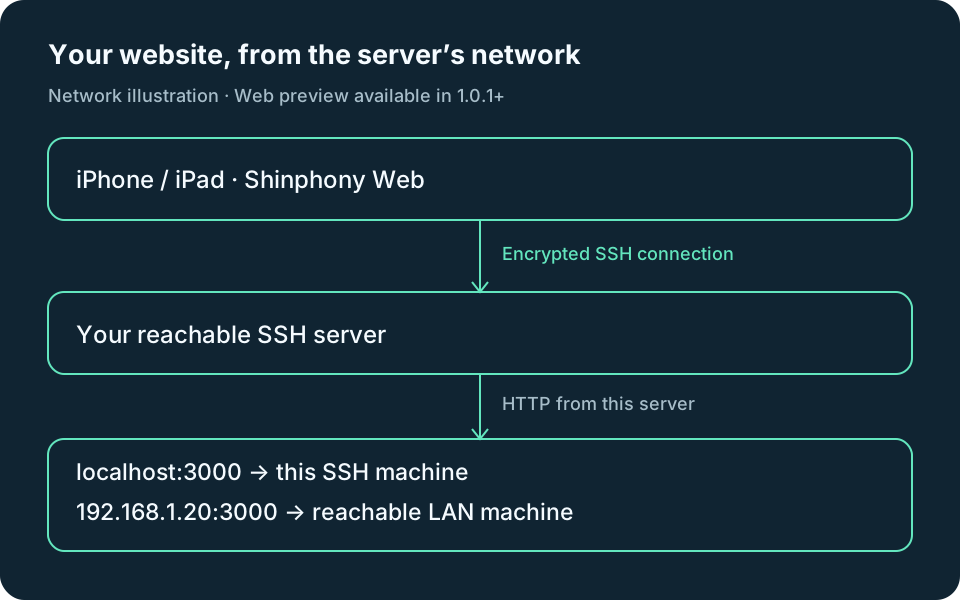
Open an HTTP development site inside Shinphony through SSH, including sites on the server’s private network. Available in Shinphony 1.0.1 and later.
Start this guide →01How to SSH from an iPhone or iPad
3 min read
Connect your iPhone to a Linux server or Mac with Shinphony: add your SSH host, use a password or key, verify its fingerprint, and open a remote terminal.
Start this guide →02Keep different servers in different tabs
2 min read
Understand servers, terminal tabs, and remote tmux sessions—and switch without losing your place.
Start this guide →03Scroll, select, and copy tmux output
3 min read
Select a command or link on touch and desktop, and understand why terminal text sometimes wraps.
Start this guide →04Upload and download with SFTP
3 min read
Choose the right remote folder, upload from your device, and save a remote file locally.
Start this guide →07Review changes in the remote Git workspace
3 min read
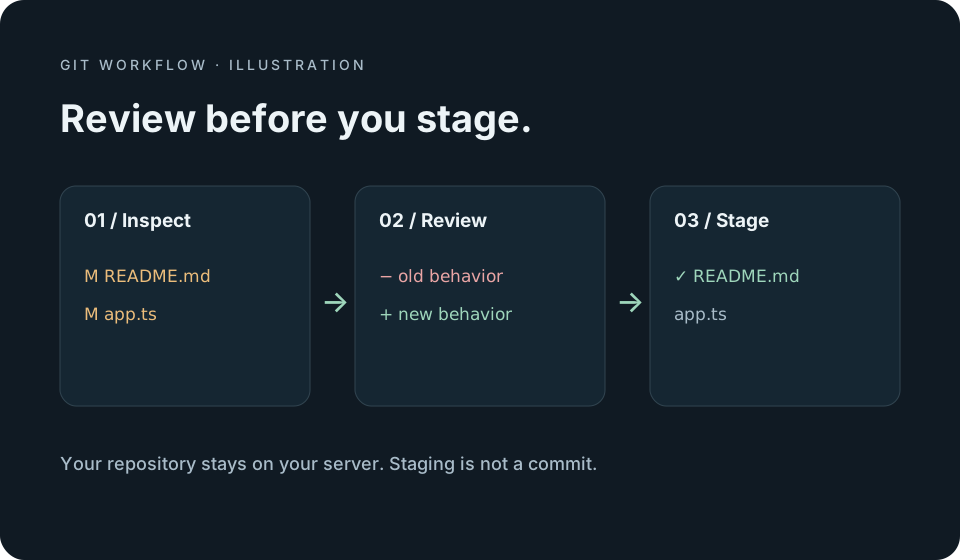
Inspect status, diffs, and history, then stage or unstage deliberately. Your repository remains on your own server.
Start this guide →08Understand Pro and restore your purchase
2 min read
What stays free, what the one-time iPhone/iPad upgrade unlocks, and how to restore it with your Apple Account.
Start this guide →09Capture a web page and send visual feedback
4 min read
Capture the visible web page, annotate locally, then review an upload and compose instructions for your remote agent.
Start this guide →10Compose safely and share a minimal diagnostic summary
3 min read
Prepare a prompt before inserting it into a terminal, and share status categories without exporting your host details or terminal output.
Start this guide →11Find your way around the mobile workspace
3 min read
Find the terminal tabs, workspace menu and Web preview controls. These features are available in the current App Store release.
Start this guide →12Crop and annotate a screenshot before uploading
4 min read
Make the feedback precise: edit locally, confirm the destination, and insert a reference only when you are ready.
Start this guide →NotifyTask notifications
Set up the host service, test a task notification and return to your tmux session. Basic task notifications and Live Activities are free; Pro adds higher limits. The guide covers the current App Store release.
Set up task notifications →Something does not match your screen?
Check your platform and build number. Controls can differ between the mobile release and desktop preview.
Get help